
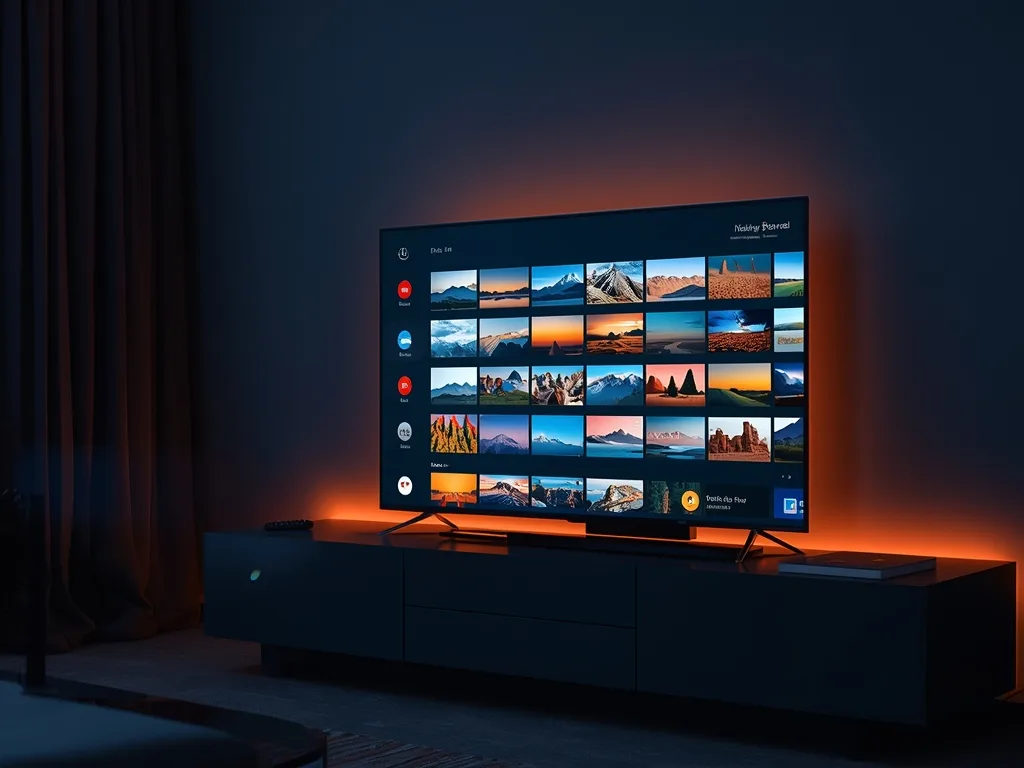
IPTV on Samsung Smart TV: How to Watch on Tizen
Samsung Smart TVs run an operating system called Tizen. It is smooth and widely used, but it is also a closed platform, so the way you install an IPTV player is different from an Android box or a Fire TV Stick. This guide explains what works, how to get set up, and what your fallback options are if your particular model does not have a suitable app. If you are weighing up hardware, our device guide shows how Samsung compares with other platforms.
How Tizen Differs From Other Smart TV Systems
On a Samsung TV you install apps from the Samsung Apps store on the TV itself, and apps are built specifically for Tizen. You cannot simply copy an Android app across. That means the player you use must exist in the Samsung store for your TV's model year, and availability can differ between regions and between older and newer models. Older sets sometimes lose access to newer apps as their software stops being updated.
The practical consequence is simple: check the store first, and do not buy a subscription expecting a specific app until you have confirmed it appears on your television. The easiest way to settle this is a short trial, because you can test the exact app on the exact set.
Step by Step: Installing and Signing In
- Press the Home button on the Samsung remote and open the Apps section
- Use the search icon and look for the IPTV player your provider recommends
- Select the app and choose Install, then Open once it has downloaded
- Choose the option to add a playlist or log in, then enter the credentials, link or activation code your provider gave you
- Wait for the channel list and program guide to load before judging the app
Many Tizen-compatible players use a short device code or MAC-style identifier shown on the TV, which you enter on the app's website along with your playlist link. This is far easier than typing a long address with the remote, so look for that option first. You can usually do it from a phone or laptop while the TV displays the code.
Keep your TV's software current. Open Settings, then Support, then Software Update, and install pending updates. Outdated firmware is a frequent reason an app crashes or refuses to load a long channel list.
If Your Model Has No Suitable App
Not every Samsung TV can run every player. If you search and come up empty, you have several easy options that do not involve replacing the TV:
- Plug in a streaming device such as an Amazon Fire TV Stick or an Android TV box and use that for IPTV; our Firestick setup guide covers the process
- Use a streaming stick based on Google TV, which gives you a wider choice of apps
- Cast or mirror from a phone or tablet when you just want to watch something quickly, though this is less reliable for long viewing
- Use a small computer or laptop connected over HDMI
A dedicated stick usually gives a faster interface and a larger selection of player apps than a TV that is several years old, and it costs far less than a new television.
Getting the Best Picture on a Samsung Set
Samsung panels vary a lot between entry-level and premium models, but a few settings help on nearly all of them. Use the Movie or Filmmaker-style picture mode for films and series, and the Standard mode for sport if you find the picture too dark. Turn off excessive motion smoothing if live sport looks unnaturally smooth. Check that HDMI input settings allow the full signal your source can provide if you use an external stick for 4K.
Picture quality in the app still depends on your connection. Wi-Fi in a crowded home is a common culprit, so a wired network cable to the TV's Ethernet port, if it has one, usually delivers the most reliable results. See the 4K streaming tips for more on network setup, and note that 4K only appears where the source channel actually broadcasts in 4K.
Troubleshooting Samsung-Specific Problems
The app freezes or closes by itself
Power the TV off and unplug it for about a minute, which clears the memory. Then reopen the app. If the problem returns, delete and reinstall the player and re-enter your details.
Video plays but there is no sound, or the sound is out of sync
Switch the audio format in the player to stereo or PCM. Surround formats passed through to a soundbar sometimes fail on specific channels. Restarting the stream usually fixes a one-off drift.
Login keeps failing
Copy credentials carefully, watching for trailing spaces and upper or lower case letters. Check for a single wrong character before anything else. Slow or choppy streams are covered in how to fix common IPTV buffering issues.
A Note on Voco TV and Samsung
Voco TV works on Samsung Smart TVs when you use a compatible player app on your model; setup details for your subscription come from our team, and our FAQ covers the common questions. If you are unsure whether your set will work, ask for a trial through the contact page and test it before committing. Plans and connection counts are on the pricing page.
Frequently Asked Questions
Can I install any Android IPTV app on a Samsung TV?
No. Samsung TVs run Tizen, which uses its own apps from the Samsung store. An Android app file will not install. If the player you want is not available, a streaming stick is the simple workaround.
Why did my IPTV app disappear from my Samsung TV?
Older models stop receiving updates, and apps can be withdrawn or stop supporting a model. Check for a system update first. If the app is gone for good, switch to an external device rather than replacing the television.
Is a wired connection really better than Wi-Fi on a Samsung TV?
In most homes, yes. A cable avoids interference and distance problems, which matters most for live sport and 4K. If the TV has no Ethernet port, use the 5GHz band and place the router in a clear spot.
Should I use my Samsung TV or a streaming stick?
If the TV has a good app and runs smoothly, there is no need for a stick. If the interface is slow or the app is missing, a stick usually performs better and costs far less than a new TV.
Final Thoughts
A Samsung Smart TV can be an excellent IPTV screen, as long as the right player exists for your model and you enter your credentials carefully. Check the Samsung store first, use the code-based login if the app offers it, keep the firmware updated and prefer a wired connection. If the TV cannot run the app you want, a cheap streaming stick solves it in minutes.
Ready to cut the cord?
Join 50,000+ subscribers streaming live TV, movies and series on premium IPTV in HD & 4K — cancel anytime, no contracts.