
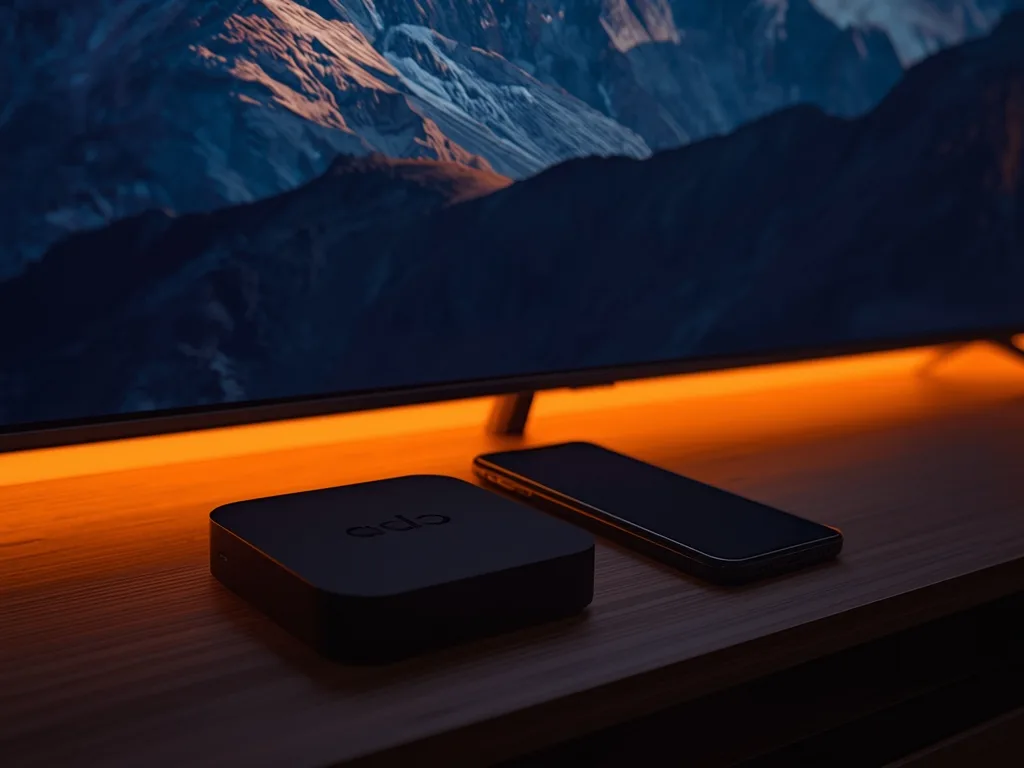
A common worry before buying an iptv subscription is hardware. Do you need a special box, or can you just install an app? The short answer is that most people need no dedicated IPTV box at all, because IPTV is delivered over the internet to a player app, and there is probably one that runs on a device you already own. But there are good reasons to choose a box, and this guide sets out the trade-offs so you can decide without spending money you do not need to.
What an App and a Box Each Do
An IPTV player app is software that plays the streams your provider gives you. It does not contain channels itself; you sign in with details from your provider, such as a username and password, a playlist link or an activation code. Apps exist for smart TVs, phones, tablets, computers and streaming sticks.
A box is hardware that runs one of those apps, or a built-in portal, and connects to your television by HDMI. It might be a general streaming device, an Android TV box, or a dedicated set-top box such as the MAG boxes and Enigma2 receivers the Voco TV site lists as supported. The viewing experience is the same kind of thing either way: an app or portal on a screen. The difference is where it runs and how well.
When an App on Your Current Device Is Enough
If you own a reasonably recent smart TV, you may be able to install a player app and start watching without buying anything. Our setup guides cover the common cases: Samsung smart TVs, LG webOS TVs and Android TV and Google TV. Phones, tablets and computers work too, as described in our guides to Apple devices and to watching on a PC or Mac.
An app on hardware you already own is the cheapest route and the easiest to try. If you are testing a service on a free trial, it is also the sensible first step: you learn whether the streams and guide suit you before you spend anything on equipment.
When a Box or Stick Is Worth Buying
Smart TV platforms are often slower than dedicated streaming hardware, and older televisions stop receiving app updates. A separate device can fix that. The usual reasons to buy one are:
- Your TV is old, slow or no longer supported by the app store
- The TV has no suitable player app for your provider
- Menus lag and channel changes feel sluggish
- You want a wired Ethernet connection for stable playback
- You want hardware that decodes 4K streams smoothly
- You want to move the same setup between rooms or on holiday
A streaming stick is the cheapest version, and our Firestick setup guide shows the process end to end. Android TV boxes usually offer more power and often an Ethernet port. Our device compatibility guide compares the options for the Voco TV service specifically.
Buy the box after the trial, not before. If a cheap test on a phone or an existing TV shows the service suits you, you will know exactly what extra hardware, if any, you need.
The Role of the Player App
Whether you choose a box or not, the player app shapes your experience as much as the device. A good player handles the guide cleanly, offers hardware decoding, lets you favourite channels and does not crash when you switch quickly. Features vary widely, so read our comparison of IPTV player apps before settling on one.
Voco TV works through standard third-party IPTV players. After you subscribe, the site says you receive activation details and a setup guide, and that you can tell support your exact device so they can point you at a suitable player. That is worth doing before you buy any hardware, because it is easier to ask a question than to return a box.
Wired or Wireless Matters More Than the Box
A surprising number of problems blamed on the box are really network problems. Wi-Fi is the most common cause of buffering, and a more expensive box on a weak wireless connection will still stutter. If you can run an Ethernet cable to the TV or box, or move onto the 5 GHz band, you will often fix problems that no hardware upgrade would. Our guide to internet speed for IPTV covers what to measure, and the buffering checklist shows how to work through the causes in order.
A Simple Way to Decide
- Step 1: Install a player app on the device you already use most and run a trial
- Step 2: Test at busy hours on the screen you actually care about
- Step 3: If it works smoothly, you need nothing more
- Step 4: If the interface is slow or the app is missing, try a low-cost stick or box
- Step 5: If you want 4K or several rooms, plan wired connections and a more capable device
Remember to count screens as well. A plan with one connection allows one screen at a time, so several boxes in different rooms do not help if only one can stream. See our guide to how many connections you need before you buy hardware for every room.
Cautions About Pre-Loaded Boxes
Be careful with boxes sold as ready to go. Some are sold with an IPTV service pre-installed, tied to one seller, and you may not be able to change service or fix problems yourself. Prices can also be far above what the hardware is worth. A plain streaming device that you control, plus a subscription you understand, is usually the safer arrangement. Whatever you buy, keep the receipt, read the return policy and never enter payment details on a page you do not trust.
Frequently Asked Questions
Can I watch IPTV on my phone only?
Yes, if the provider supports a player app on your phone. It is a good way to test, though a large TV is the real test of picture quality.
Do I need a VPN or a special router?
Not to run the app. Whether a VPN is useful depends on your situation; our guide to whether you need a VPN for IPTV explains the trade-offs.
Is a dedicated IPTV box faster than a stick?
Often, but not always. Many boxes have more memory and an Ethernet port, which help. A recent stick on a wired or strong 5 GHz connection can be perfectly good.
Where do I check what Voco TV supports?
The features page and the FAQ list supported devices, and the contact page lets you ask about your exact model.
Final Thoughts
You almost certainly need an app, and you may not need a box. Start with the hardware you already own, trial the service at busy hours, and only then decide whether a stick or box would fix a real problem. Fix the network first, choose a player you trust, and spend money on equipment only when the test shows it is needed.
Ready to cut the cord?
Join 50,000+ subscribers streaming live TV, movies and series on premium IPTV in HD & 4K — cancel anytime, no contracts.